Install Odoo versions 10, 11, 12, 13, 14, 15, 16, 17, 18, 19
Tut 2: Install Odoo

Before starting the Odoo programming series, the first thing to do is set up the Odoo environment. In this post, we only set up Odoo on our machine to try it out — we won't write a single line of code yet. Specifically, we can install recent Odoo versions such as Odoo 10, 11, 12, 13, … up to the latest Odoo 19.
Getting hands-on with Odoo and understanding its working logic is extremely important — in the following posts I'll gradually dive into code as a newbie :).
To set up an Odoo dev environment I always use Docker What is Docker?, because of its convenience and because it makes installing multiple Odoo versions easy compared to installing directly. I will NOT cover installing Odoo directly (if you'd like that, please check other resources) — instead, we'll use Docker entirely for this setup. Trust me, you'll see how convenient it is!
In short, here's the Odoo dev environment you need to follow this series:
- Ubuntu operating system (Ubuntu is recommended; I don't suggest Windows to avoid annoying errors)
- Python 3.11+
- Odoo 19.0
Odoo versions
A new Odoo version is released every October. You can check the release history of Odoo versions here on Wikipedia.
Each Odoo release brings updates — I've gathered the release notes below so everyone can easily follow along:
- Odoo 12 (2018): https://www.odoo.com/odoo-12-release-notes
- Odoo 13 (2019): https://www.odoo.com/odoo-13-release-notes
- Odoo 14 (2020): https://www.odoo.com/odoo-14-release-notes
- Odoo 15 (2021): https://www.odoo.com/odoo-15-release-notes
- Odoo 16 (2022): https://www.odoo.com/odoo-16-release-notes
- Odoo 17 (2023): https://www.odoo.com/odoo-17-release-notes
- Odoo 18 (2024): https://www.odoo.com/odoo-18-release-notes
- Odoo 19 (2025): https://www.odoo.com/odoo-19-release-notes
We still need to support older Odoo versions because many systems running in customer production were deployed with them. For example, if someone started using Odoo in 2017, the customizations a dev needs to work on would be Odoo 11, for instance.
My advice: pick the newest Odoo version for new customer deployments because newer versions have more features. In my experience each Odoo release is quite stable, and bug-fix patches rarely need updating. That's why this Odoo learning series is deployed on Odoo 19.
Install Odoo 10
Github: https://github.com/minhng92/odoo-10-docker-compose
$ git clone https://github.com/minhng92/odoo-10-docker-compose
$ sudo chmod -R 777 addons
$ sudo chmod -R 777 etc
$ docker-compose up
or the following command if you want Odoo to keep running on your machine as a service:
$ docker-compose up -d
Open Odoo 10 in your browser @ localhost:8069
Install Odoo 11
Github: https://github.com/minhng92/odoo-11-docker-compose
$ git clone https://github.com/minhng92/odoo-11-docker-compose
$ sudo chmod -R 777 addons
$ sudo chmod -R 777 etc
$ docker-compose up
or the following command if you want Odoo to keep running on your machine as a service:
$ docker-compose up -d
Open Odoo 11 in your browser @ localhost:8070
Install Odoo 12
Github: https://github.com/minhng92/odoo-12-docker-compose
$ git clone https://github.com/minhng92/odoo-12-docker-compose
$ cd odoo-12-docker-compose
$ docker-compose up -d
Open Odoo 12 in your browser @ localhost:8071
Install Odoo 13
Github: https://github.com/minhng92/odoo-13-docker-compose
$ git clone https://github.com/minhng92/odoo-13-docker-compose
$ cd odoo-13-docker-compose
$ docker-compose up -d
Open Odoo in your browser @ localhost:10013
Install Odoo 14
Github: https://github.com/minhng92/odoo-14-docker-compose
$ git clone https://github.com/minhng92/odoo-14-docker-compose
$ cd odoo-14-docker-compose
$ docker-compose up -d
Open Odoo in your browser @ localhost:10014
Install Odoo 15
Github: https://github.com/minhng92/odoo-15-docker-compose
$ git clone https://github.com/minhng92/odoo-15-docker-compose
$ cd odoo-15-docker-compose
$ docker-compose up -d
Open Odoo in your browser @ localhost:10015
Install Odoo 16
Github: https://github.com/minhng92/odoo-16-docker-compose
$ git clone https://github.com/minhng92/odoo-16-docker-compose
$ cd odoo-16-docker-compose
$ docker-compose up -d
Open Odoo in your browser @ localhost:10016
Install Odoo 17
Github: https://github.com/minhng92/odoo-17-docker-compose
$ git clone https://github.com/minhng92/odoo-17-docker-compose
$ cd odoo-17-docker-compose
$ docker-compose up -d
Open Odoo in your browser @ localhost:10017
Install Odoo 18
Github: https://github.com/minhng92/odoo-18-docker-compose
$ git clone https://github.com/minhng92/odoo-18-docker-compose
$ cd odoo-18-docker-compose
$ docker-compose up -d
Open Odoo in your browser @ localhost:10018
Install Odoo 19
Github: https://github.com/minhng92/odoo-19-docker-compose
$ git clone https://github.com/minhng92/odoo-19-docker-compose
$ cd odoo-19-docker-compose
$ docker-compose up -d
Open Odoo in your browser @ localhost:10019
Customizing the Odoo installation
I always use docker-compose to set up the Odoo container.
- To change the Odoo server port, you can edit the following line (e.g. Odoo 13 — you can do the same for the other versions covered in this post):
...
ports:
  - "10013:8069" # <-- change port 10013 to whatever port you want
...
I put all customizations in the addons folder.
Edit the Odoo configuration at etc/odoo.conf
With this ready-made code scaffold, setting up a local Odoo dev environment is super tidy.
Creating a database in Odoo
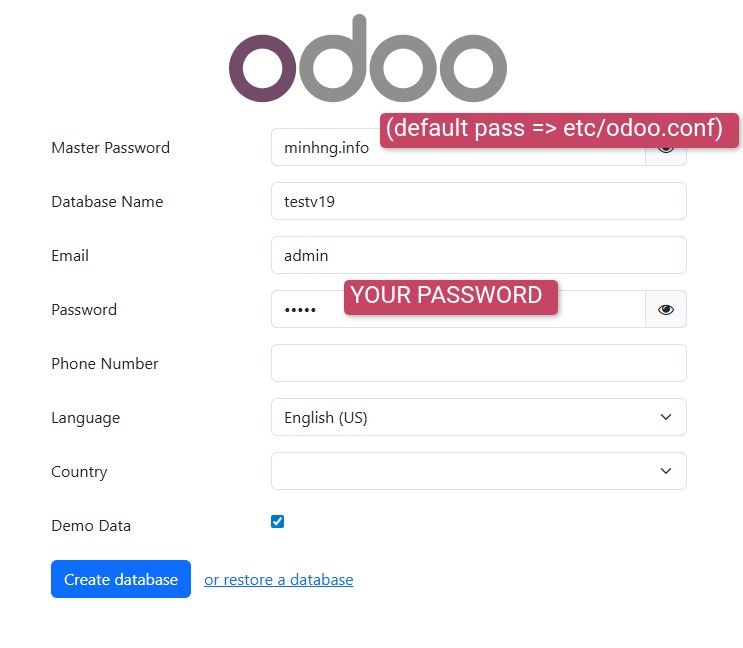
Once Odoo is up, you can fill in the details to create your first database:
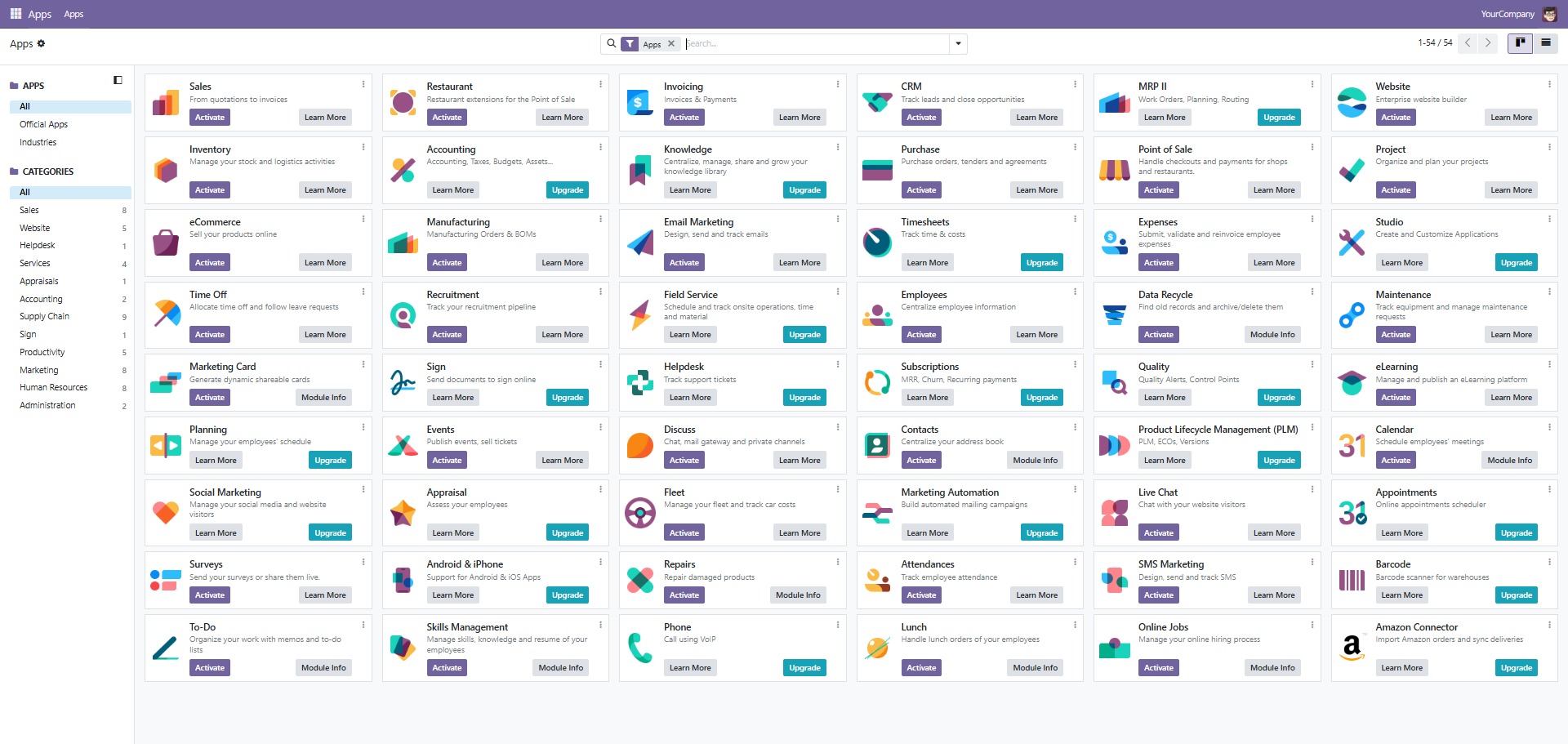
The default apps available in Odoo — some apps show the "Upgrade" label, which means they only exist in the Odoo Enterprise version. Some apps you can install into your DB and use. Here are some popular modules / apps / addons you can install and try out yourself:
- CRM: customer relationship management
- Website: for e-commerce sales websites
- Project: project management
- Inventory: inventory management
- Invoicing, Account: accounting
- Manufacturing: production management
- Sales: order and sales management
- Point of Sale (POS): point-of-sale software
- Purchase: purchase management
- Employees: employee information management
- Attendances: employee check-in / check-out management
- Recruitment: recruitment management
- Fleet: fleet management